
Publish
Turn your project into a live website with one click.
Deploy your app to a live URL in one click and share it with anyone.
How to publish
-
Click the Publish button in the top right corner
-
Click Publish in the dialog
-
Wait for the build to complete (you'll see a progress indicator)
-
Once done, you'll see "Successfully published to Anima" with a link to your live site
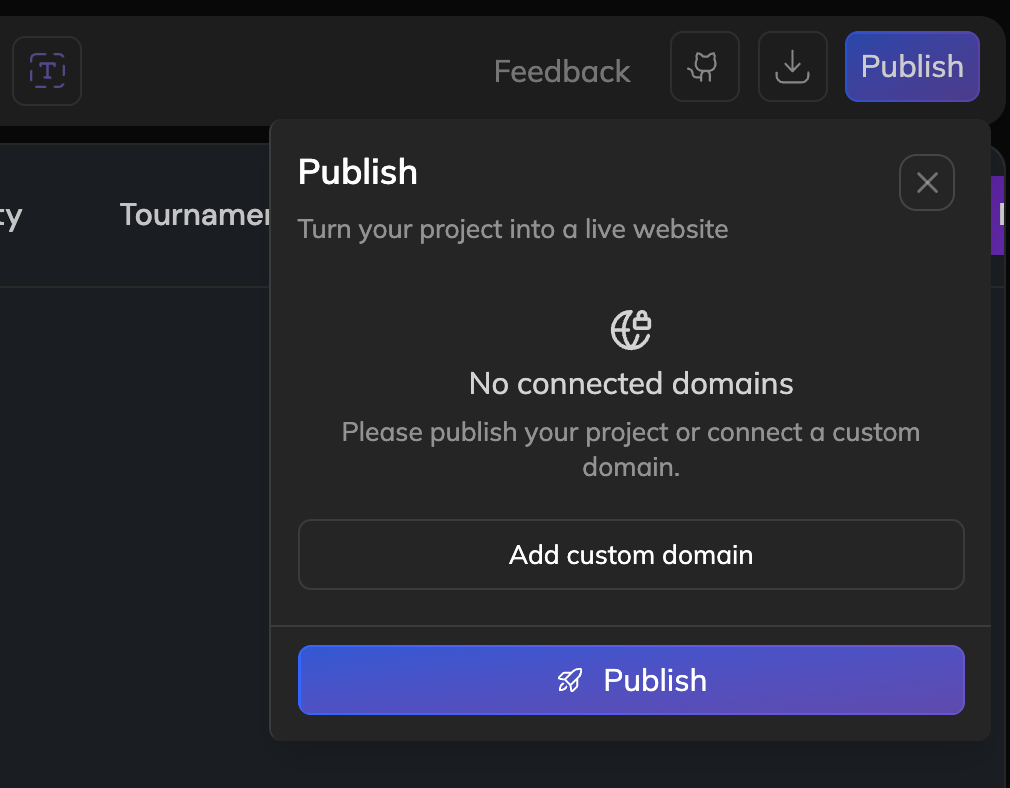
-
Your project is now live on an Anima URL like winter-sun-2691.dev.animaapp.io.
After publishing
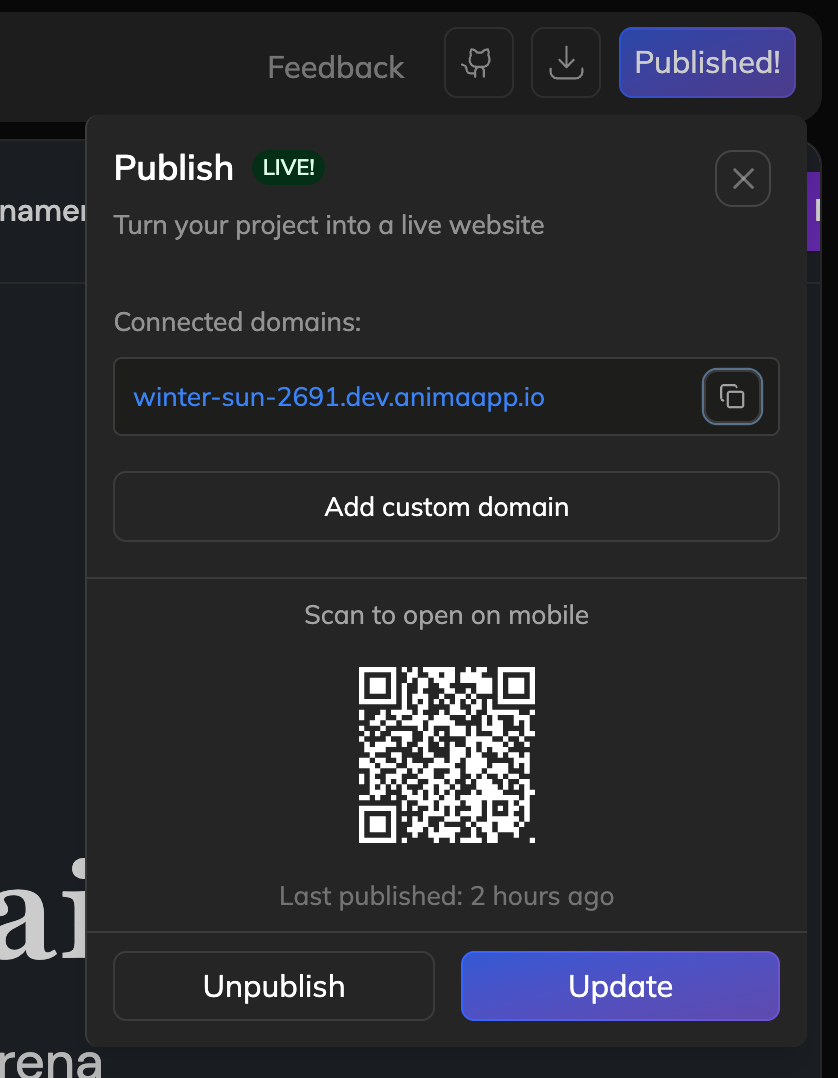
Once your project is live, the Publish dialog shows:
-
Connected domains — Your Anima URL (and any custom domains you've added)
-
Copy button — Copy the URL to share
-
QR code — Scan to open on mobile
-
Last published — When you last updated the live site
-
Updating your site
Made changes? Click Update to publish your latest version. Updates go live instantly.
Unpublishing
Click Unpublish to take your project offline. Your code stays safe in the Playground—only the live site is removed.
Custom domains
Want to use your own domain instead of the Anima URL? Click Add custom domain to connect one.
Updated 10 months ago