
Starting from a URL
Turn any website into clean, editable frontend code.
Paste a URL and instantly generate responsive React or HTML code — perfect for prototyping, refactoring, or remixing the web.
When to use this method
Choose this path when you:
- Want to modernize your existing website using a new React front-end tech stack
- Are migrating to a new component framework
- Want to prototype and test changes to a live site quickly
- Would rather start with inspiration than build from scratch
- Want to study real-world layouts by regenerating clean code
Best for: Site modernization, framework migration, rapid prototyping, learning from existing designs
How it works
- Paste any website URL into Anima
- Anima extracts the layout, design, colors, and structure
- Anima generates responsive, editable frontend code
- Tweak it, prompt it, export it, or build on top
This isn't a static "save as HTML" tool — it's semantic, customizable, and built for production. Anima rebuilds the UI with semantic components and consistent design tokens, giving you fully editable, responsive, production-ready HTML or React code.
Step by step
Option A: Paste a URL directly
- Paste any website URL into the input field
- Click send
Option B: Use the Tools menu
- Click Tools in the input toolbar
- Select Clone Website
- Paste the URL
- Click send
Both options work the same way — Anima analyzes the page and generates code that recreates its structure and style.
Clone with customization
Combine a URL with a prompt to adapt the style for your needs. This tells Anima to capture the visual style while adapting the content and purpose.
See Inspired by any website for more on combining URLs with prompts.
Choose your code output
Before cloning, set your code preferences using the dropdowns below the input field.
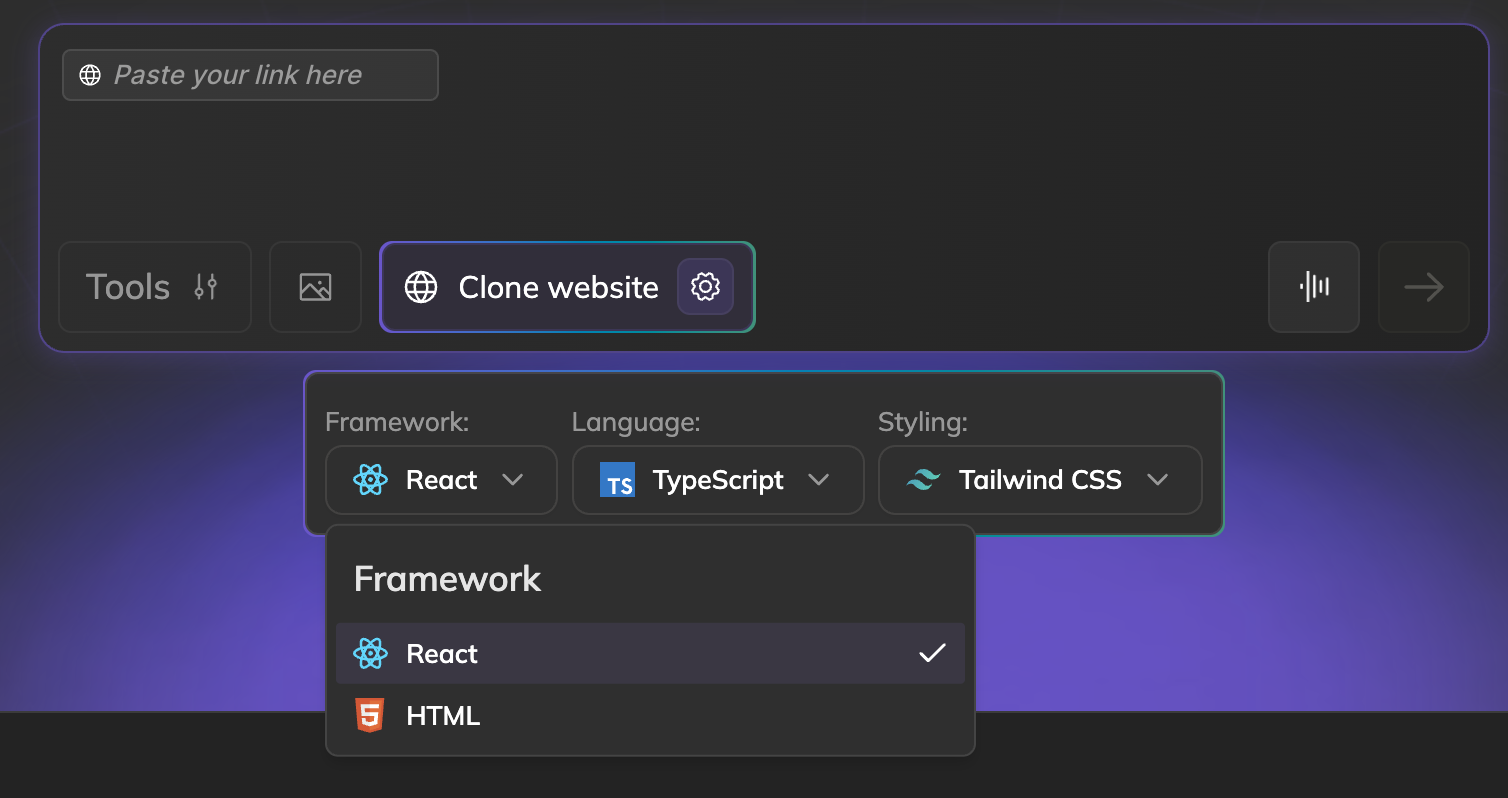
Framework
- React — Component-based output with JSX
Language
- TypeScript — Type-safe code with better editor support
- JavaScript — Standard JavaScript without types
Styling
- Tailwind CSS — Utility-first CSS classes for rapid styling
- Inline Styles — CSS styles applied directly to elements
Best use cases
- Refactor a legacy site into modern, responsive code
- Build a landing page inspired by any site
- Prototype new screens and flows in minutes
- Run A/B tests with real-world layouts
- Learn how great UI is built, from the code up
Limitations
Dynamic content
Sites that load content via JavaScript may not clone completely. Anima captures what's visible in the initial page load.
Login-protected pages
Anima can only access public pages by default. Content behind authentication won't be captured.
Solution: Use the Chrome extension to clone private pages. See Clone private pages with the Chrome extension.
Complex animations
Sophisticated animations and transitions aren't captured. You get the static layout.
Workaround: Add animations later with CSS or mention them in prompts: "Add a fade-in animation to the hero section."
Custom fonts
Some websites use licensed fonts that can't be loaded automatically. Anima detects these during cloning and shows your options in the chat. You can keep the fallback, upload the original font, or pick a Google Font replacement.
Single-page apps
Highly interactive SPAs with complex state may not clone well.
Next steps
Once your cloned project is in the playground:
- Edit your project - Customize and extend with prompts or code
- Connect a backend - Add real data and user authentication
- Publish your app - Deploy to a custom domain or export the code
Updated 8 months ago