
Bring Your Chat GPT to Buddy - Chat for Free
Buddy now lets you bring your own AI instead of paying Anima for usage on top of everything else. You connect an LLM you already have, and Buddy runs on it. Once connected, you can chat with Buddy, generate and edit designs on the Figma canvas, work from your own design system, and import websites and HTML/Claude Design artifacts — all powered by a plan or key you already have, at no extra cost.
There are two ways to connect:
- Connect a ChatGPT subscription — the easiest route. If you have a ChatGPT subscription, you can connect your OpenAI account to Buddy and let Buddy run on it.
- Your own API key (OpenAI or Anthropic) — best for teams that manage AI access centrally, where the usage bills against a company account.
Pick whichever fits, connect once, and design with AI in Figma for free.
Connect your ChatGPT subscription
Here is a step-by-step guide on how to connect your ChatGPT subscription to Buddy.
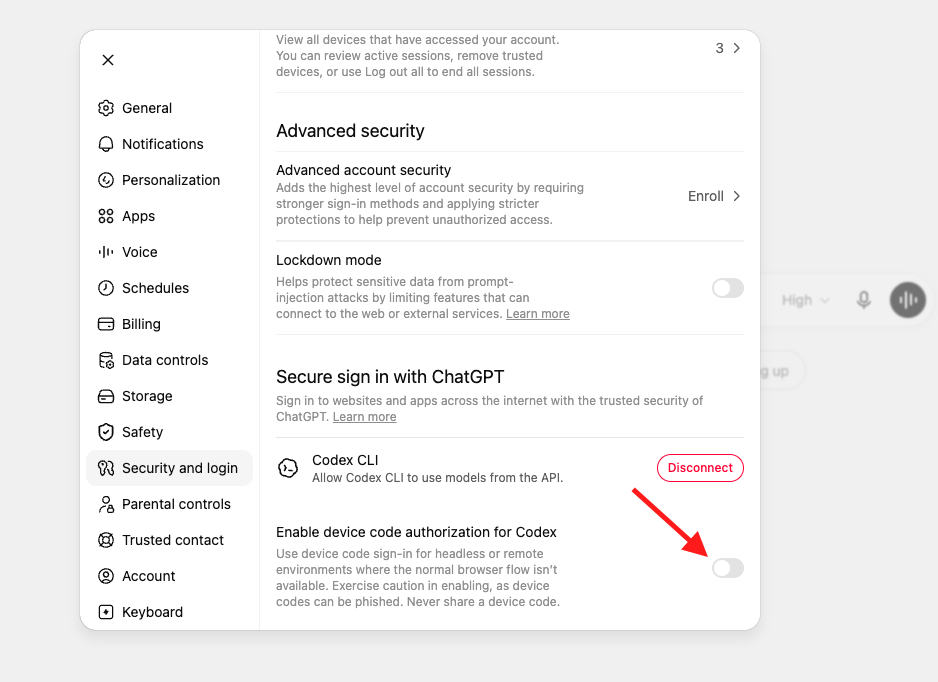
Step 1 [IMPORTANT] - Enable device code authorization for Codex. The connection uses a device code, and some ChatGPT accounts have this turned off by default. Enabling it first avoids getting stuck partway through. (If it's already on, skip ahead.)
- Open your ChatGPT profile in your browser and go to Settings → Security and login.
- Scroll to the bottom setting, "Enable device code authorization for Codex," and turn the toggle on.
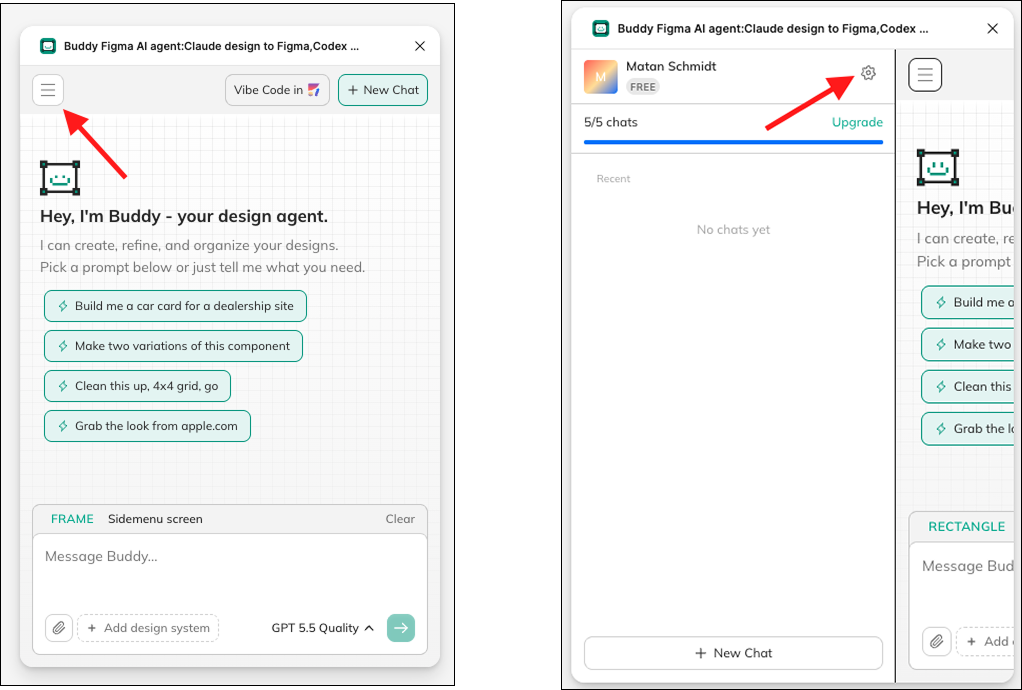
Step 2 - Open Buddy settings. In the Buddy plugin's side panel, click the Hamburger button, then click the and then the Settings icon at the top.
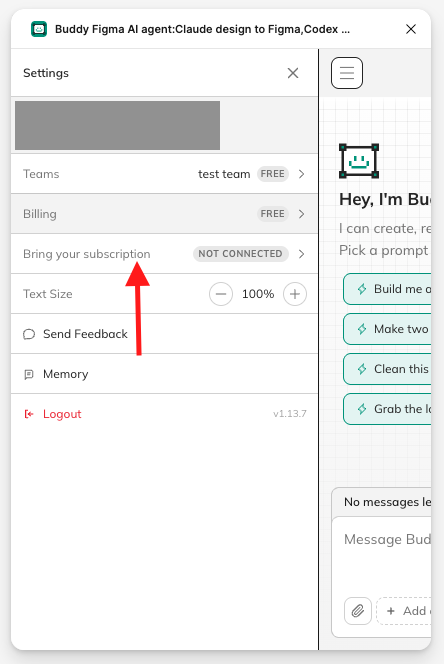
**Step 3 **- Open "Bring your subscription."
Step 4 - Click on Connect. It will open a new tab in your browser where you need to log in to your ChatGPT account.
- Follow the ChatGPT login instructions. And log in to your ChatGPT account.
- Note - if you skipped step 0, you might face this settings error:
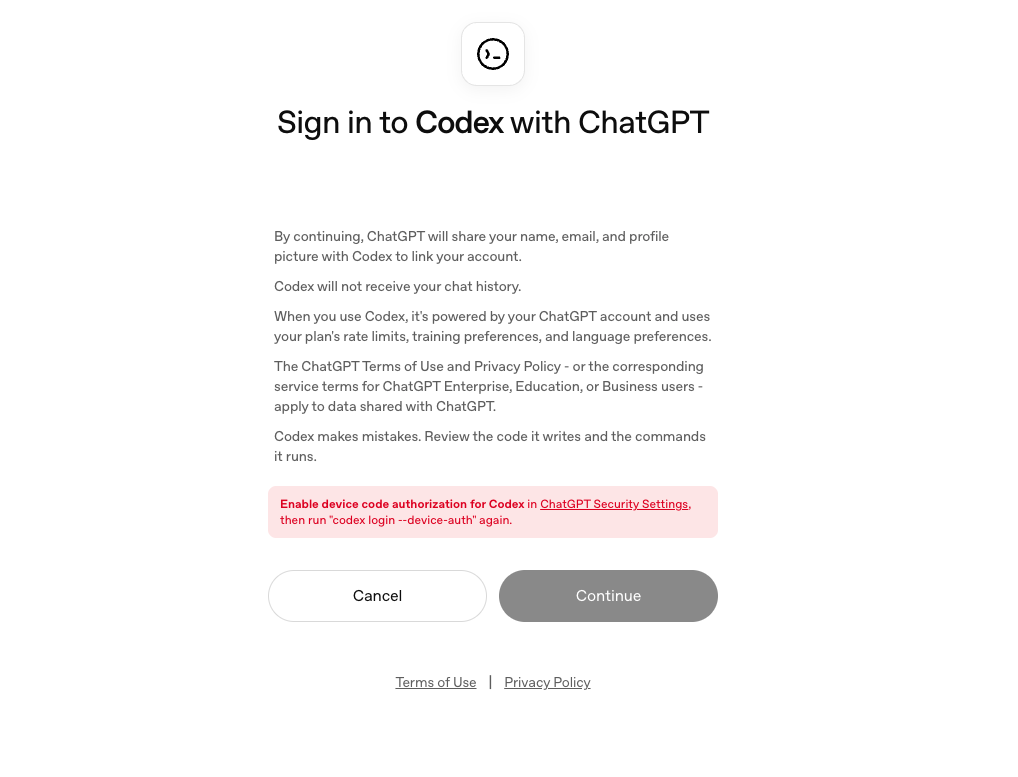
- If you see this, follow the instructions in step 0, then close Buddy, and start the connection again.
Step 5 - Copy your pairing code. Buddy shows a pairing code (for example, D3T2-XLPHM). Copy it with the copy button and paste it.
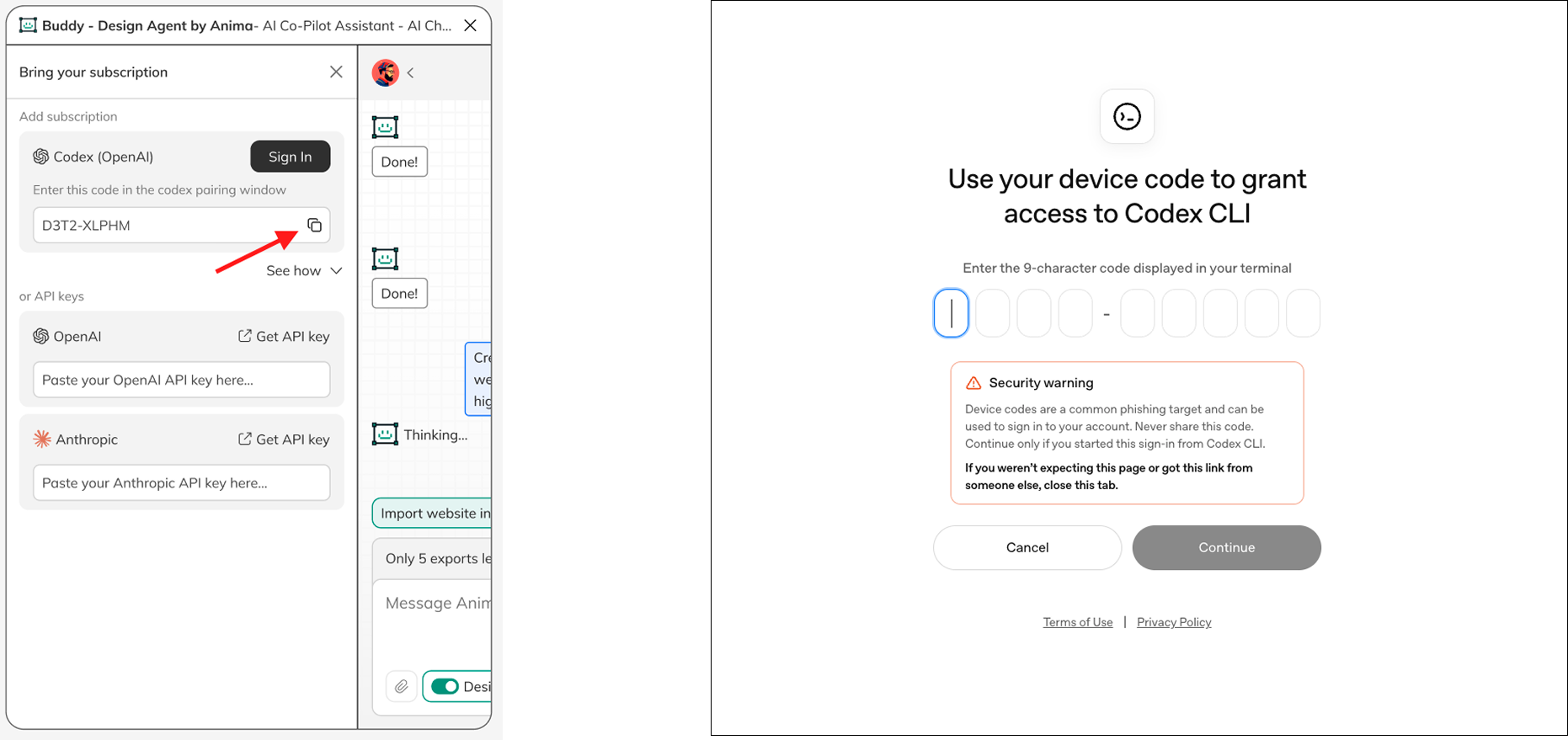
Step 6 - You're done — Buddy is now running on your own ChatGPT, free of extra cost.
Here is a tutorial on how to successfully connect our ChatGPT subscription to Buddy:
Updated 27 days ago